Reading Hood Warfare Update Notes Like a Competitive Player
Patch notes are the most useful document a multiplayer shooter publishes, and the least read. For a game like Hood Warfare, where four-versus-four matches turn on small timing decisions, a single changed number can reshape how a crew approaches the Yard, the Junction and the Loading Dock. This guide explains how to read update notes methodically, what to look for in a turf-war shooter, and how to test a change before you build a habit around it. It assumes you install the game as an APK from the download page on the official website, hoodwarfare.net, and that you play mostly on Android.
Start with what kind of change it is
Update notes usually fall into a few categories: bug fixes, content additions, balance adjustments and presentation changes. Sort them before you react. A fix that stops a menu from freezing matters for your session, but it does not change how a match plays. A balance change to a weapon or a call-in is the category that affects your win rate.
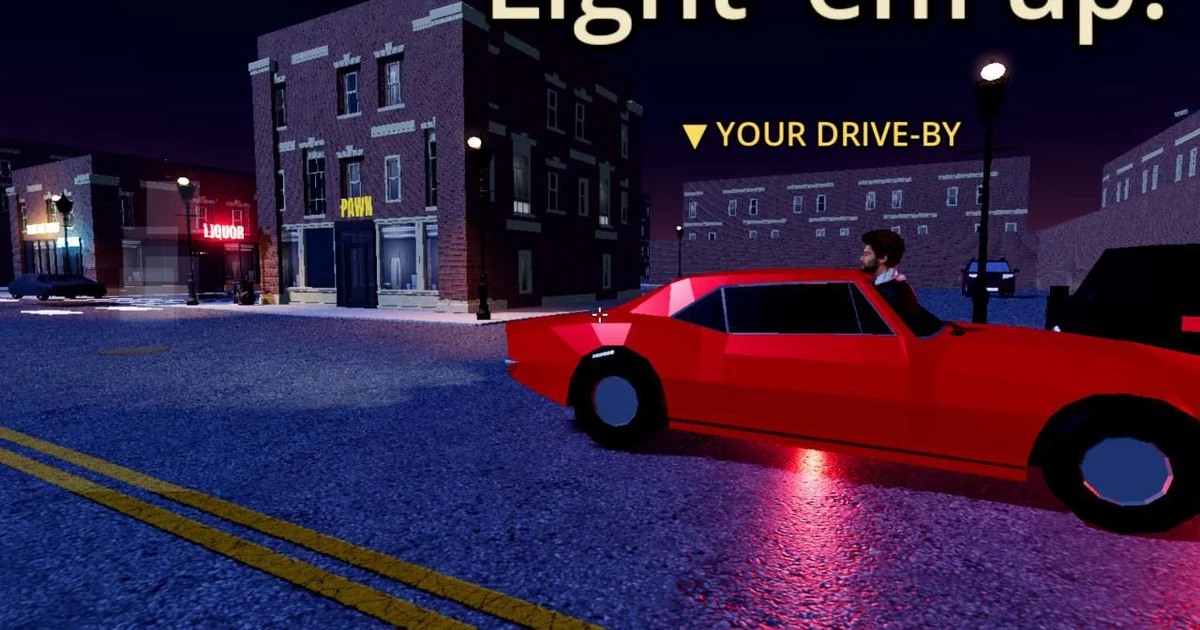
In Hood Warfare, the systems most likely to move in a balance pass are the ones that define the match's economy and tempo. Rep is earned during a match and spent on call-ins: snitch, which reveals enemies; homies, which bring AI backup; and drive-by. Because rep is the currency for all three, a change to how fast it accrues, or what a call-in costs, affects every decision a crew makes. Read those lines twice.
Map changes onto the three corners
Turf war is decided by control of the Yard, the Junction and the Loading Dock. A change that looks minor on paper can matter a great deal depending on which corner it touches. Ask whether the note improves a route, a sightline or a fallback point. If a change affects weapons that dominate close quarters, it may matter most at the Yard. If it affects the rifle or shotgun slots, the open approaches to the Junction may shift.
Keep a short notebook for the first few sessions after an update. Write down the corner, the weapon or call-in involved, and what you observed. Patterns appear faster this way than from memory.
Evaluate the weapon and loadout notes carefully
Hood Warfare offers nine guns across pistol, rifle and shotgun slots, along with extended, taped and drum magazines, light and heavy armor, grenades and medkits. Loadout changes can ripple through every match because they change how fights start and end.
When a notice changes a magazine type or armor tier, do not judge it by a single match. Play several rounds with the same loadout and note how often you reach the corners you intended, how often you win the first engagement and how quickly you run out of ammunition or health. A drum magazine that feels strong in one fight may be less useful over a full match if reloads leave you exposed. Armor has the same tradeoff: more protection can mean slower movement or a loadout that cannot carry as many other items.
Grenades and medkits deserve the same scrutiny. A medkit change matters most to players who rotate between corners and need to recover between fights. A grenade change matters most when a crew is trying to clear a defended position.
Handle the RPG and the radar with care
The RPG cannot be purchased. It spawns in roof stashes and marks the carrier on radar. Any update that changes spawn timing, stash locations or the radar marking is a strategic change, not a cosmetic one. A carrier who is visible to the enemy changes the whole structure of a round, so read these notes as map-level decisions.
When testing, do not chase the RPG in every match. Note how often it appears, how long it stays unclaimed and what happens when a player carries it into a corner. That information tells you whether the change rewards aggression or punishes it.
A practical checklist for every update
Before you change your play style after an update, work through these questions in order. First, is the change a fix, a content addition or a balance adjustment? Second, which corner, weapon slot or call-in does it affect? Third, does it change the cost, timing or availability of rep spending? Fourth, after five to ten matches, does your observed result match what the notes suggest? Fifth, has anything changed that is not in the notes, such as the RPG spawn behavior or radar visibility?
Also separate what you see from what you assume. Cosmetic changes to weapon skins or outfits are presentation only and never change stats. If a note mentions a new skin, it does not affect your loadout's performance. Treat those notes as the least important part of any update, however exciting they look.
Finally, keep your expectations realistic. A single patch rarely solves a problem you have in your own play, and the most reliable gains come from understanding the mechanics the notes describe. Read carefully, test deliberately and adjust one variable at a time.