Reading Patch Notes Without Guessing: Tracking Version Changes Across Builds
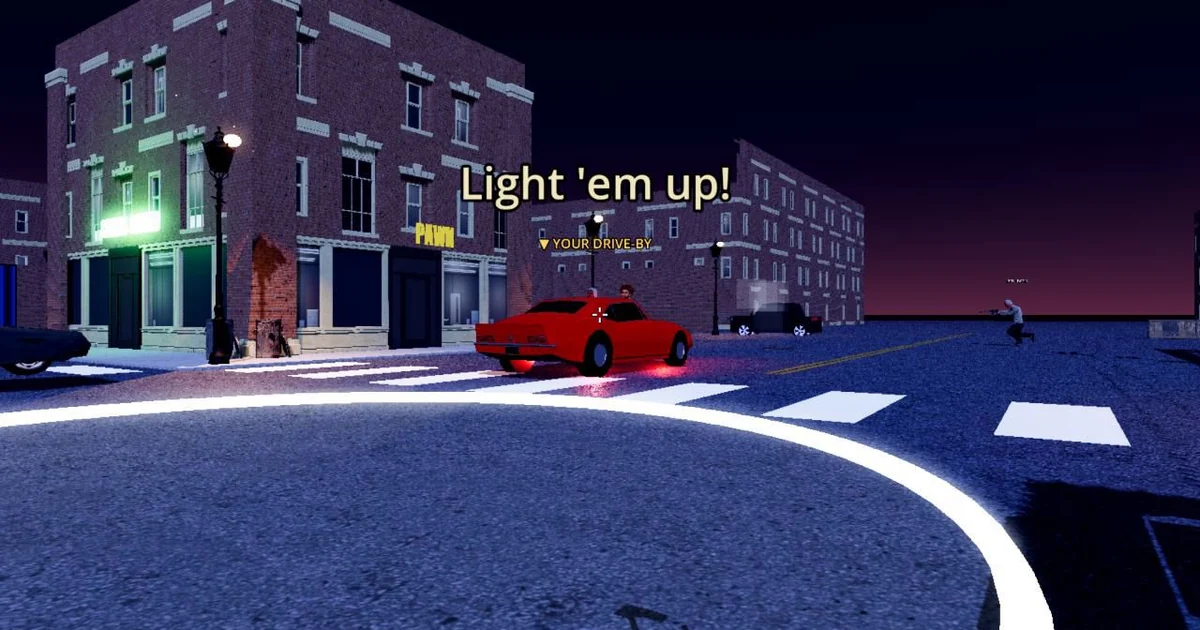
Game updates arrive in many forms: a version label on a download page, a build identifier in a settings screen, a changelog written in a hurry, or a roadmap that lists features the team hopes to ship. Each carries a different level of certainty. A player who learns to separate these signals can avoid expecting features that are not in the build on their phone, and can understand why a match feels different after an update. This guide uses the public information on the official Hood Warfare site, hoodwarfare.net, as a worked example of the general habits that apply to any fast multiplayer shooter distributed outside a large store.
Start with the version label and the build identifier
A version label such as v0.3.0-beta is the human-readable name a developer chooses for a release. A build identifier, such as a short hash like 74f1651, usually points to a specific compiled snapshot of the code. The two are related but not interchangeable. Two builds can share a label during testing, and a label can be reused while the underlying code changes. When you compare your installed game to a published note, match both pieces of information if you can.
On the official download page, checked on 2026-10-29, the public listing showed v0.3.0-beta, build 74f1651, a requirement of Android 10 or newer on 64-bit devices, and an APK size of roughly 290 MB. Those details give you a concrete baseline. If your installed build does not match, the notes you are reading may describe a different snapshot than the one you are playing.
Separate released features from announced ones
Roadmap language is the most common source of confusion. A site may describe a mode or map as coming in a next update. That is a statement of plan, not a feature in the current download. The Hood Warfare site lists Turf War as available and describes Free-for-All, Team Deathmatch and additional maps as planned for a next update. A careful reader treats the first as something to test and the rest as something to watch for.
A useful habit is to sort every change you read into three groups: shipped in the current public build, described as upcoming, and mentioned without a date. Only the first group should shape your expectations for tonight's session. Keep the second and third in a separate note so that future releases can be checked against them instead of being assumed.
Check access terms each time the download page changes
Access rules can change independently of gameplay. As checked on 2026-10-29, the official download page listed a $1 one-time online-play unlock for new players, with no subscription, and said free access was retained for players who joined during the beta. Those terms are specific to that check. Before you install or pay for anything, read the current terms on the official download page yourself, because a later update may revise them.
Compare any access statement against the version you are about to install. If the page describes a rule for a newer build and you are on an older APK, the rule may not apply to your copy yet.
A short checklist for evaluating an update note
Before you act on any update note, work through these questions in order. First, does the note name a version label and build identifier, and do they match what is shown on the official download page? Second, is each described change marked as released, upcoming or undated? Third, does the note say whether the change affects stats, cosmetics or access, and does it say which ones are presentation only? Cosmetics such as weapon skins and outfits are described on the site as never changing stats, so a note that combines a skin with a balance change deserves a closer read. Fourth, has the access or price language been checked on the official site recently?
Finally, note the date you read the information. Fast-moving games revise their pages often, and a clear date lets you know when your understanding may need refreshing. A player who asks these questions each time will rarely be surprised by an update and will know exactly which changes are already in the build they are holding.