Checking Free-to-Play Terms and Versions Before You Sideload a Shooter
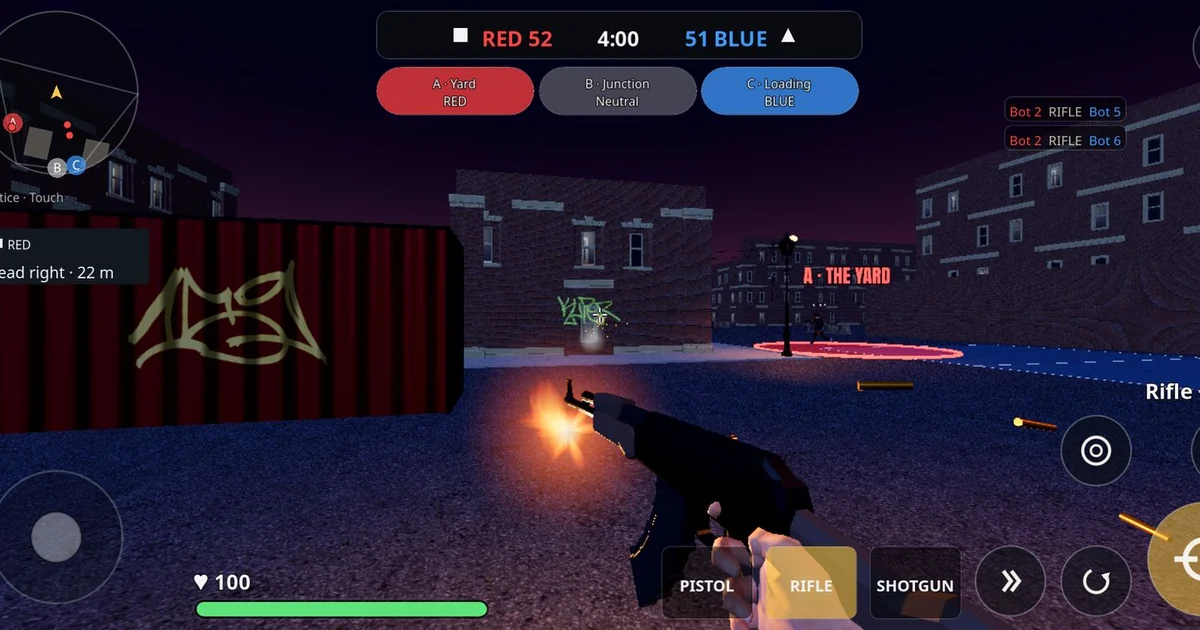
Fast mobile shooters often reach Android players through direct downloads rather than an app store, which puts the responsibility for verification on the player. Before installing anything, it helps to separate what a publisher's download page actually states from what you might assume, remember or hear from others. This article walks through a repeatable way to check the basics for a game like Hood Warfare, a fictional 4v4 turf-war shooter distributed as an APK through its official website, hoodwarfare.net. The aim is not to vouch for the game but to show what questions a careful player should answer first.
Start With the Source You Trust
When a game is offered as an APK, the official website is the reference point for what the publisher claims. Make a habit of reaching the download page directly by typing the domain yourself rather than following a link from a forum, video description or message. Confirm the publisher's name on that page matches the name you expect. Bookmark the page so you can compare it against future visits.
Note the date you checked. Download pages change, and terms that applied last month may not apply today. Writing down the date and key details, such as the build label and the listed price, gives you something concrete to compare against later.
Read the Access Terms Carefully
Many free-to-play or low-cost games separate the download from access to online play. For Hood Warfare, the official download page, as checked on 2026-10-29, listed a one-time $1 online-play unlock for new players with no subscription, and said players who joined during the beta retained free access. Terms like these are easy to misread. Ask yourself several questions: Is the price one-time or recurring? Does it cover online play only, or the whole game? Does the page say anything about players who joined earlier? If the answers are not on the page, do not fill the gap with assumptions.
Check whether any stated terms could change. Publishers sometimes update pricing or eligibility rules. Re-read the terms before each new install, especially if you are installing on a second device or after a long gap.
Match the Build Label to What You Installed
An APK file carries version information, and the download page usually lists the current public build. For this game, the page as checked on 2026-10-29 listed v0.3.0-beta, build 74f1651, a requirement of Android 10 or newer on 64-bit devices, and an approximate file size of 290 MB. Comparing these numbers with your downloaded file is a simple first check. A mismatched size or version label is worth investigating before you open the app.
Be cautious about version rumors. Internal API strings, test builds or references found inside other files do not establish that a new public release exists. The official public listing is the thing to trust for what is available to download.
Separate Released Features From Announced Ones
Official sites often describe both what is available now and what is planned. Build a simple two-column note: released and upcoming. For the current site, Turf War is described as available, while Free-for-All, Team Deathmatch and additional maps are described as coming in a future update. Treat the upcoming list as a roadmap, not a promise of delivery dates. If you are choosing a game partly for a mode you want to play, confirm it appears in the released column before you install.
Also note what the site says about matches. It describes bots filling empty slots, which is a useful detail for understanding what an empty lobby might feel like. Notice equally what is not claimed: no independent reviews, performance benchmarks or player-count figures have been verified, so you should not assume any of those.
A Short Pre-Install Checklist
Before installing any fast Android shooter from a direct download, work through these points in order. First, confirm you are on the official domain and the publisher name matches. Second, record the access terms, including whether the price is one-time or recurring and what it covers. Third, compare the build label, Android requirement and approximate file size to your APK. Fourth, sort the listed features into released and upcoming. Fifth, check your device meets the stated Android version and architecture. Finally, keep a short note of the date and details so you can re-check later.
Completing this list takes only a few minutes and turns a vague sense of trust into specific, verifiable facts. That is the real advantage of a direct download: the information is there to read, and a careful player reads it before tapping install.